Available now on the App Store and Google Play
The car maintenance log that reminds you before service is due
OdoNest is an oil change reminder and maintenance tracker in one. Log a service once and it works out when it’s next due, by miles or months, whichever comes first.


- Free for 1 car
- No account needed
- Works offline
- No ads
Set up your oil change reminder in three steps
Add your car
Pick the make and model and enter the current mileage. No account, no email, no login.
Log a service you’ve done
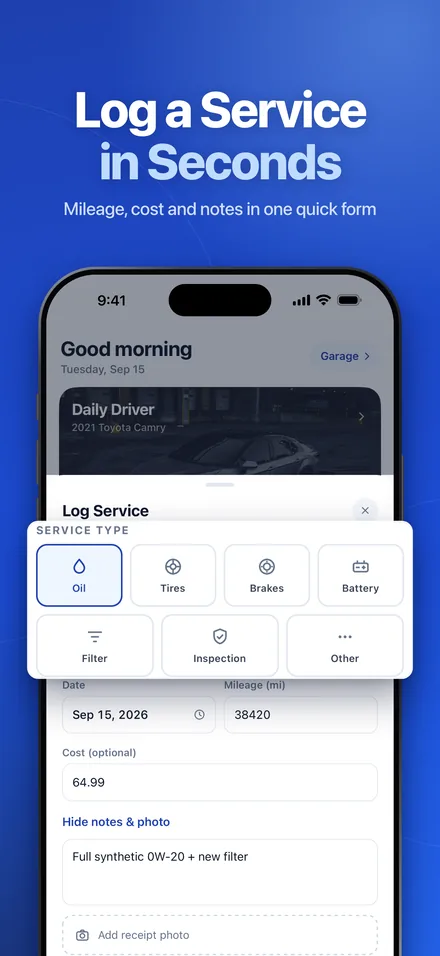
Record your last oil change, tire rotation or brake job with its date, mileage, cost and notes.
Get reminded before it’s due
OdoNest works out the next due point by miles or months and sends a heads-up before it’s due. You choose how early.
Car service reminders for oil, tires, brakes and more
Six services come with starting intervals you can change for each car, or switch off. Check your owner’s manual for your vehicle’s schedule.
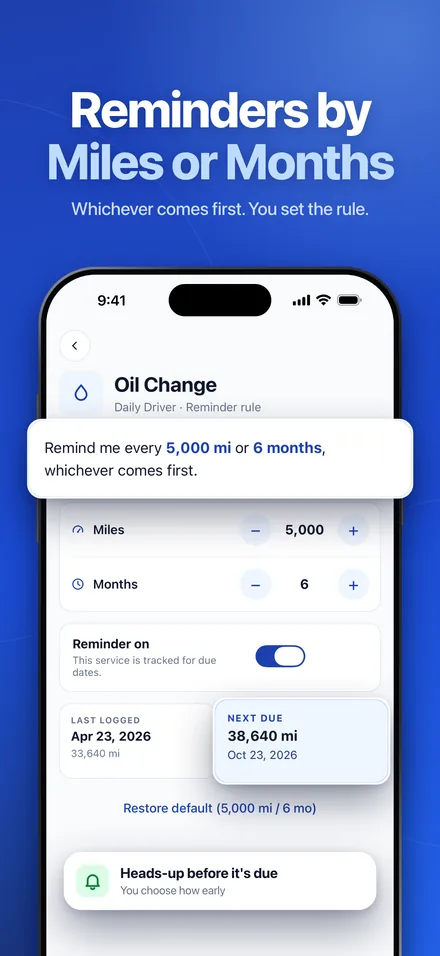
- Oil changeEvery 5,000 mi or 6 months
- Tire rotationEvery 6,000 mi or 6 months
- Brake padsEvery 25,000 mi or 24 months
- Air filterEvery 15,000 mi or 12 months
- BatteryEvery 36 months
- State inspectionEvery 12 months
Anything else, like a repair or new wipers, can be logged as Other and kept in your history.
A maintenance tracker that does one job well
No fuel logs, no OBD dongles, no ads. OdoNest focuses on maintenance reminders and your car service history.
Reminders by miles or months
Each service tracks distance and time, whichever comes first. Get a notification before it’s due and another on the due date.
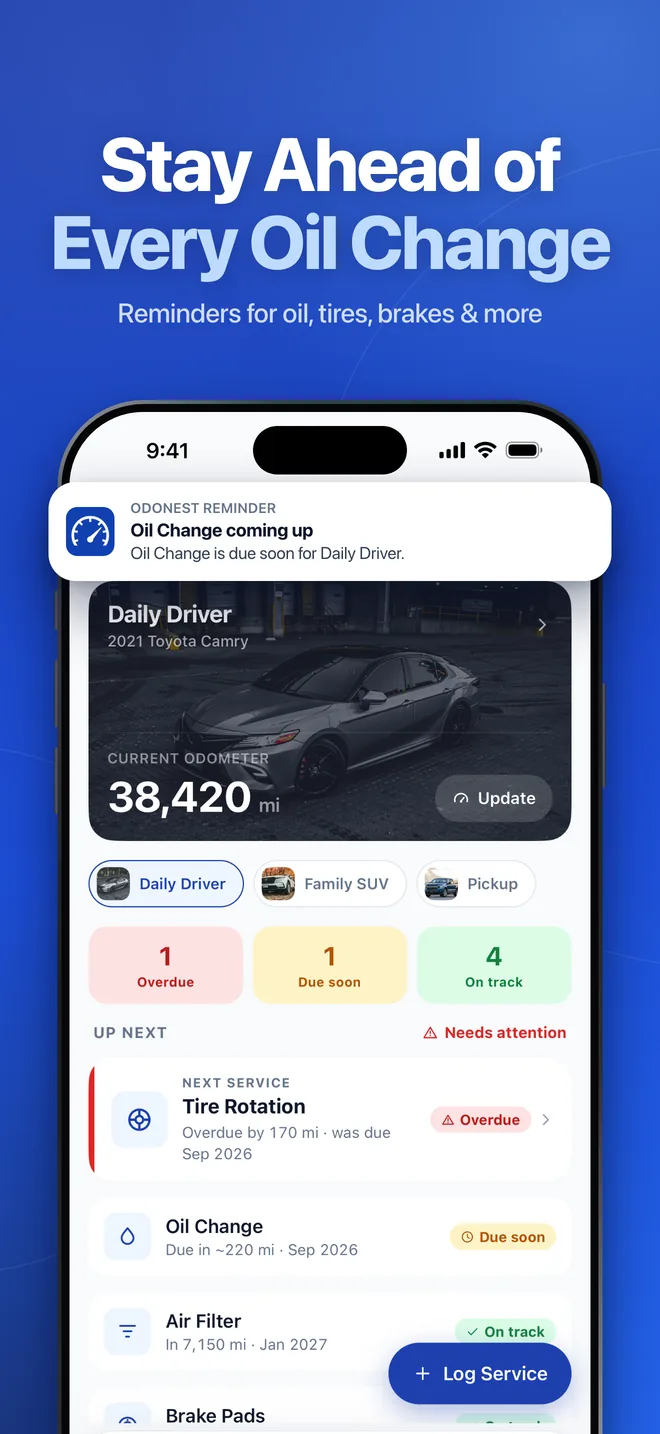
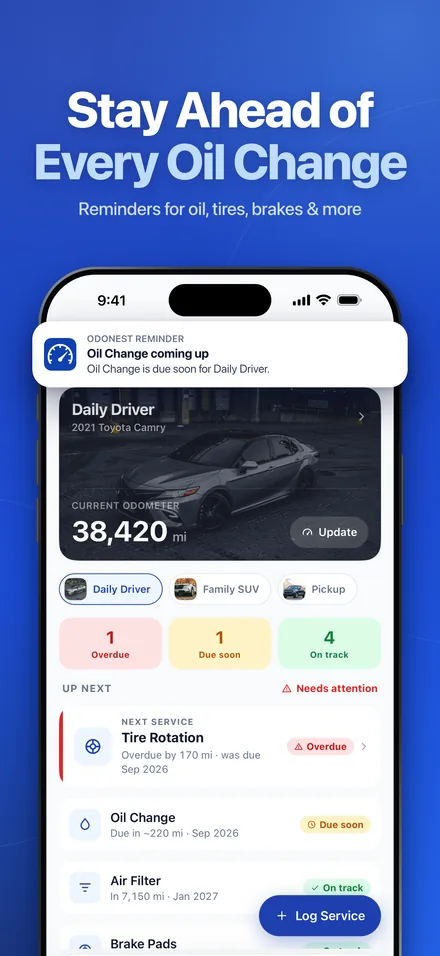
Status at a glance
Home shows what’s overdue, due soon and on track, sorted by what needs attention first.
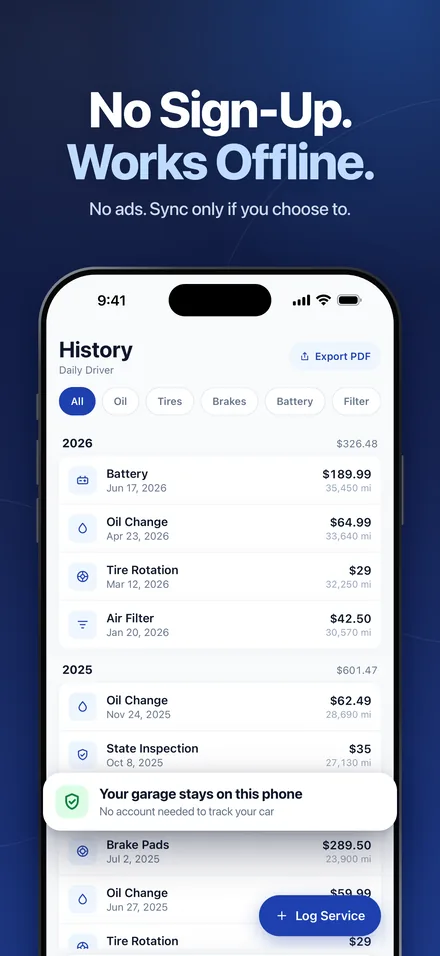
Car service history
Every service with date, mileage, cost and notes, grouped by year with spending totals. Filter by service type, edit or delete any entry.
PDF service recordPro
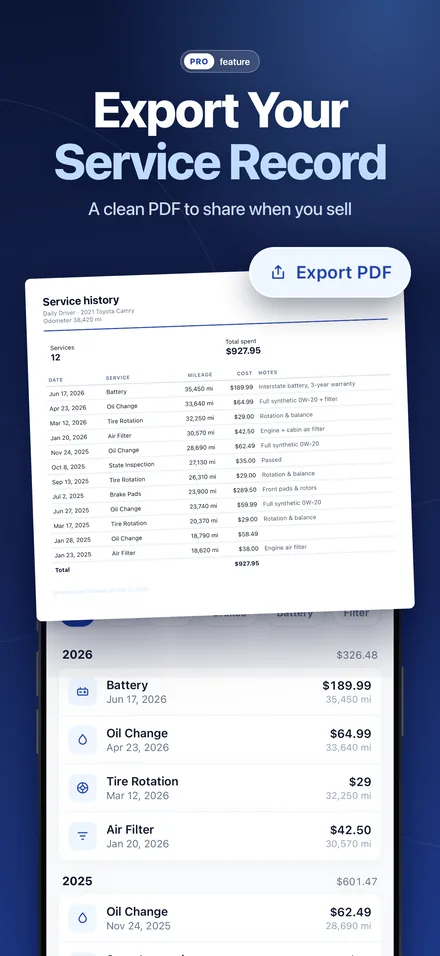
Export your vehicle’s service history as a clean PDF to keep for your records or share when you sell.
Every car in the householdPro
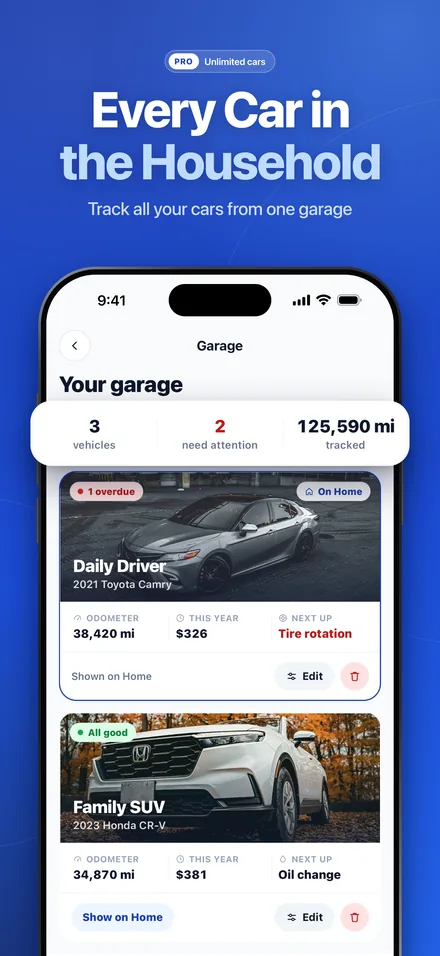
Track unlimited cars, SUVs, minivans and pickup trucks in one garage, each with its own reminders.
Spending reportsPro
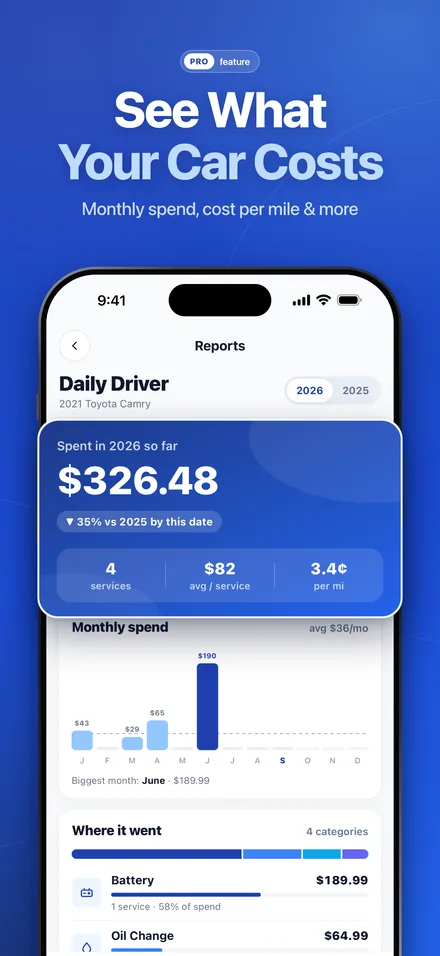
See monthly spend, cost per mile and where your maintenance money goes, plus a yearly PDF report.
See your car service history and reminders in the app
Real screens from OdoNest on iPhone. Scroll sideways to see all eight.
No account required. No ads. Never sold.
Your garage stays on your phone unless you choose to sign in and sync it across your devices. OdoNest works fully offline — in a parking garage, on a road trip, anywhere. The app sends usage and crash reports to help fix bugs; you can turn them off any time in Settings.
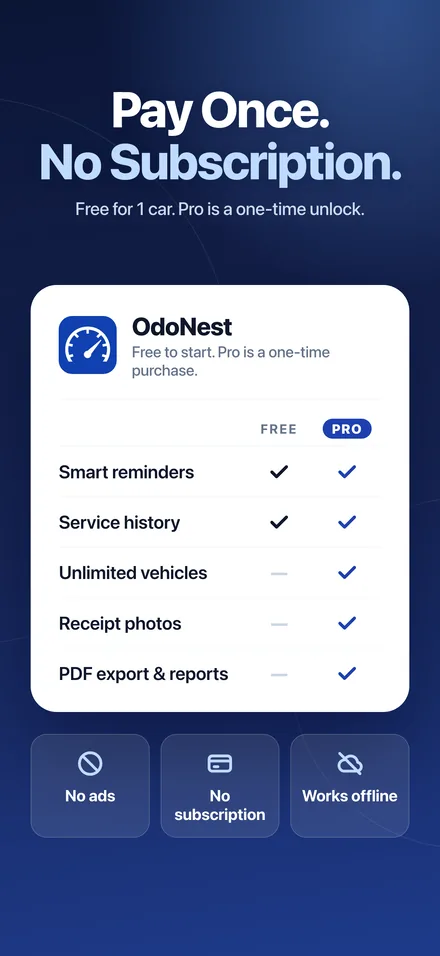
Pay once. Or don’t pay at all.
No subscription. No ads in either tier. The free tier is genuinely useful, forever.
Free
- 1 vehicle
- Reminders by miles or months
- Custom intervals and lead time
- Full service history
- Optional sync with Apple or Google
Pro
- Unlimited vehicles
- Receipt photos
- Service history PDF export
- Spending reports + yearly PDF
- Everything in Free
Pro is an in-app purchase. Price shown in US dollars; the App Store and Google Play set local prices in other countries.
Questions about the OdoNest car maintenance app
Is OdoNest free?
Yes. OdoNest is free to download and free for one vehicle, including reminders, notifications, custom intervals and the full service history. OdoNest Pro is an optional one-time purchase (US$9.99; prices vary by country) that adds unlimited vehicles, receipt photos, PDF export and spending reports. There are no ads in either version.
Is OdoNest Pro a subscription?
No. Pro is a single in-app purchase: pay once and keep it. To get it back on a new phone, tap Restore Purchases while signed in to the same Apple ID or Google account you bought it with.
Do I need an account?
No. Every feature works without an account and your garage stays on your phone. If you want a backup or to use OdoNest on more than one device, you can optionally sign in with Apple or Google to sync your vehicles and service history. Sync is free.
How do mileage and date reminders work?
Each service has an interval in miles and in months, for example an oil change every 5,000 miles or 6 months, whichever comes first. Once you log a service, OdoNest counts from that entry. As you update your odometer it learns how much you drive and estimates when you will reach the due mileage. You get a notification before the service is due (you choose how early) and another on the due date.
Which services can OdoNest remind me about?
Oil changes, tire rotations, brake pads, battery, air filter and state inspection. You can change each interval per car or turn a reminder off. The default intervals are general starting points, not your manufacturer’s schedule, so adjust them to match your owner’s manual. Other work, such as a repair, can be logged as Other and kept in your history.
Does OdoNest work offline?
Yes. Logging services, your history and reminders all work with no internet connection, and reminders are scheduled on your phone. You only need a connection to sign in and sync, or to buy or restore Pro.
Which vehicles does OdoNest support?
Cars, SUVs, minivans and pickup trucks. The built-in catalog has nearly 300 makes and more than 12,000 models, and you can add a make or model that is missing. You can use miles or kilometers. Motorcycles, RVs, boats and heavy trucks are not supported.
What is in the PDF service history?
With Pro, you can export a PDF for each vehicle listing every service with its date, mileage, cost and notes, plus the total spent. It is created on your phone and shared with the share sheet, so you can save it or send it to a buyer when you sell your car.
Download OdoNest: Car Maintenance Log
Free to download for iPhone and Android. No account needed.